Run many accounts, cleanly apart
Each client, store or team gets its own profile, and nothing carries over.
Stay inside each service's rules. Our Acceptable Use Policy says where the line is.
See multi-account operations
7 iPhone models, from the iPhone 13 to the 15 Plus, checked against real iPhones.
Use one yourself, run it from your code, or hand the job to our AI agent on any paid plan. A saved profile keeps its own logins, so it's still signed in next time.
Each profile is its own iPhone, with its own logins and its own exit country, ready when you are.
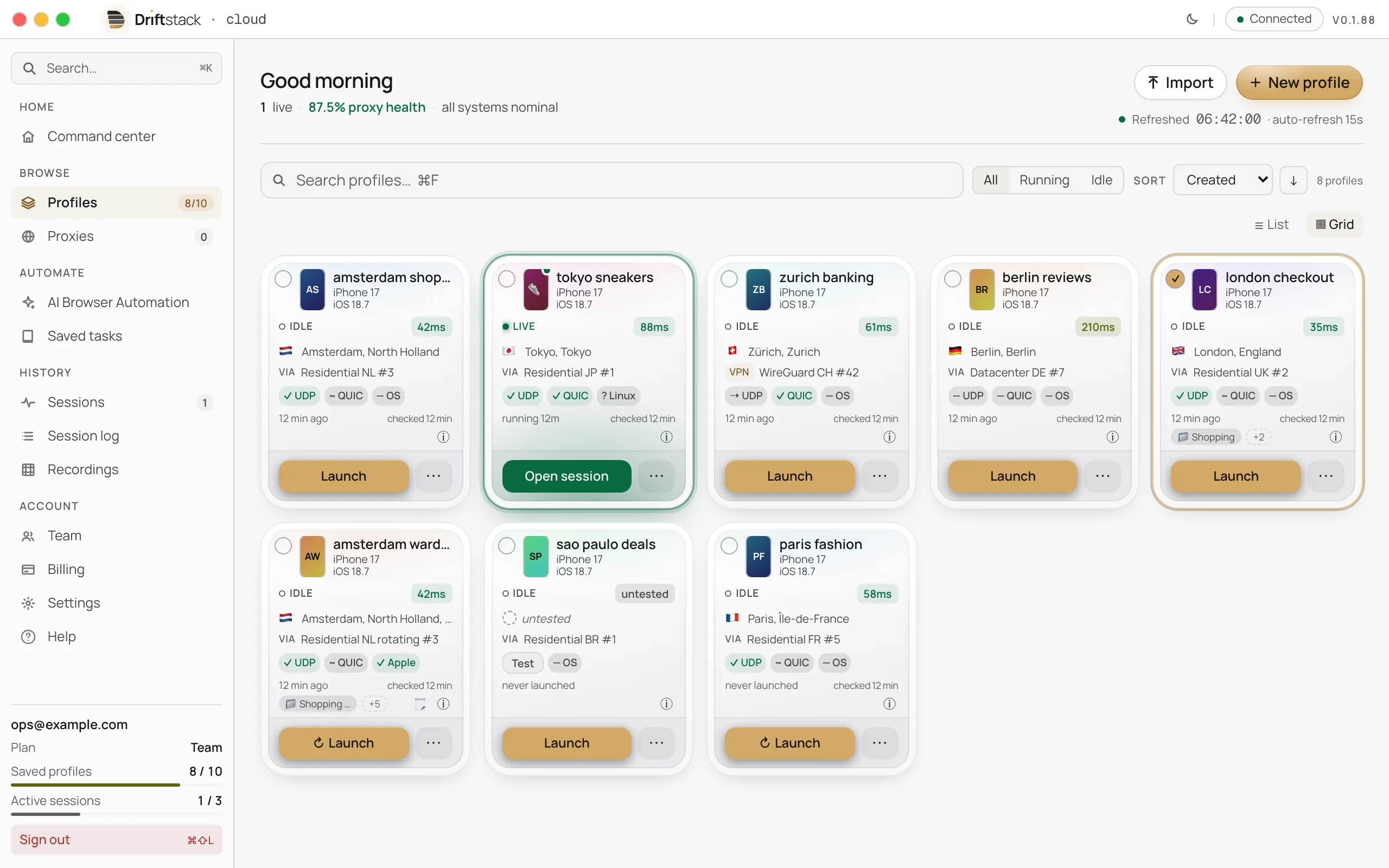
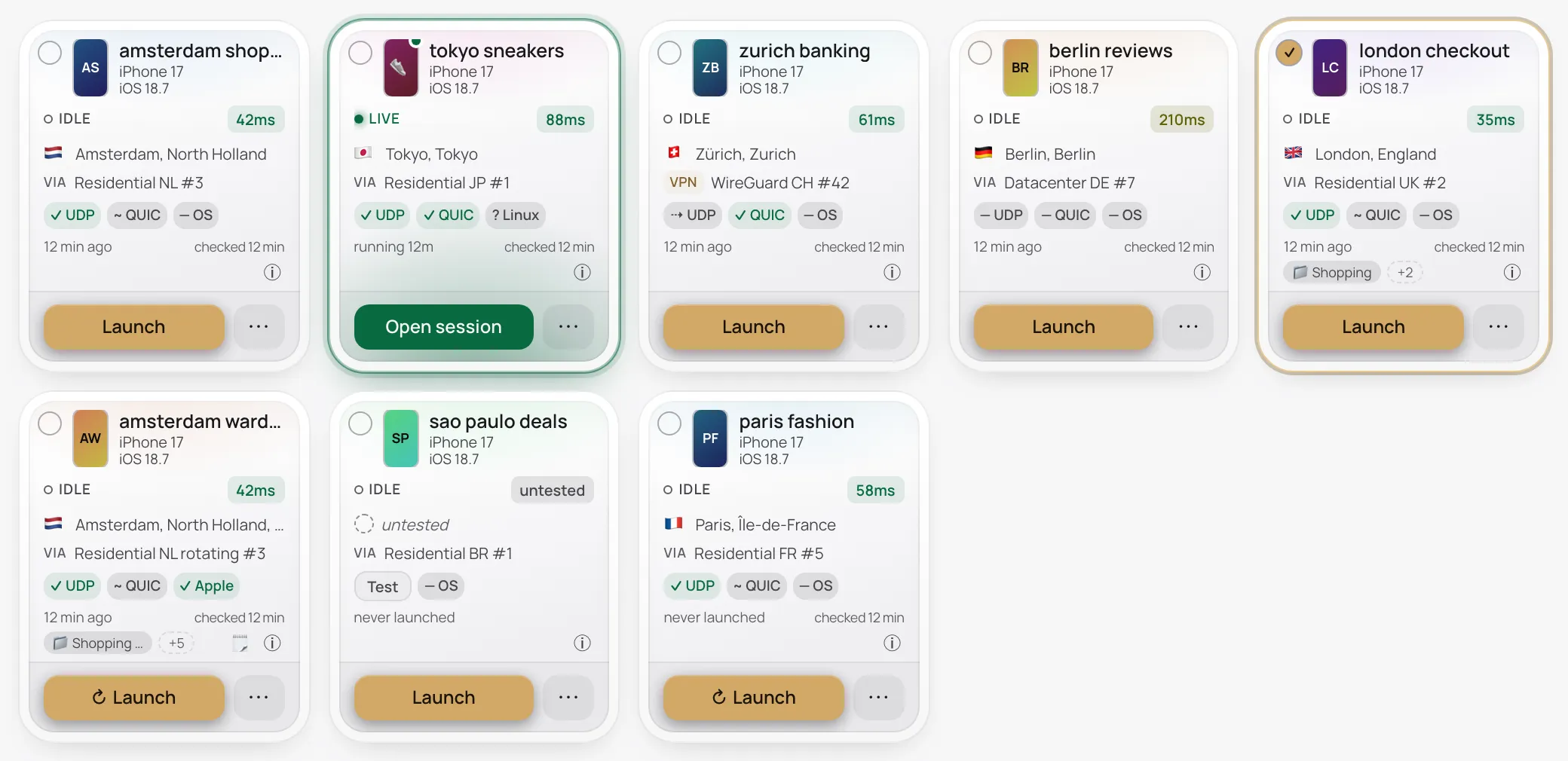
A profile is one saved iPhone: it keeps its own logins, cookies and site data, so it stays signed in. Pick its iPhone, or take a random one.
One click in the app, or one call from code.
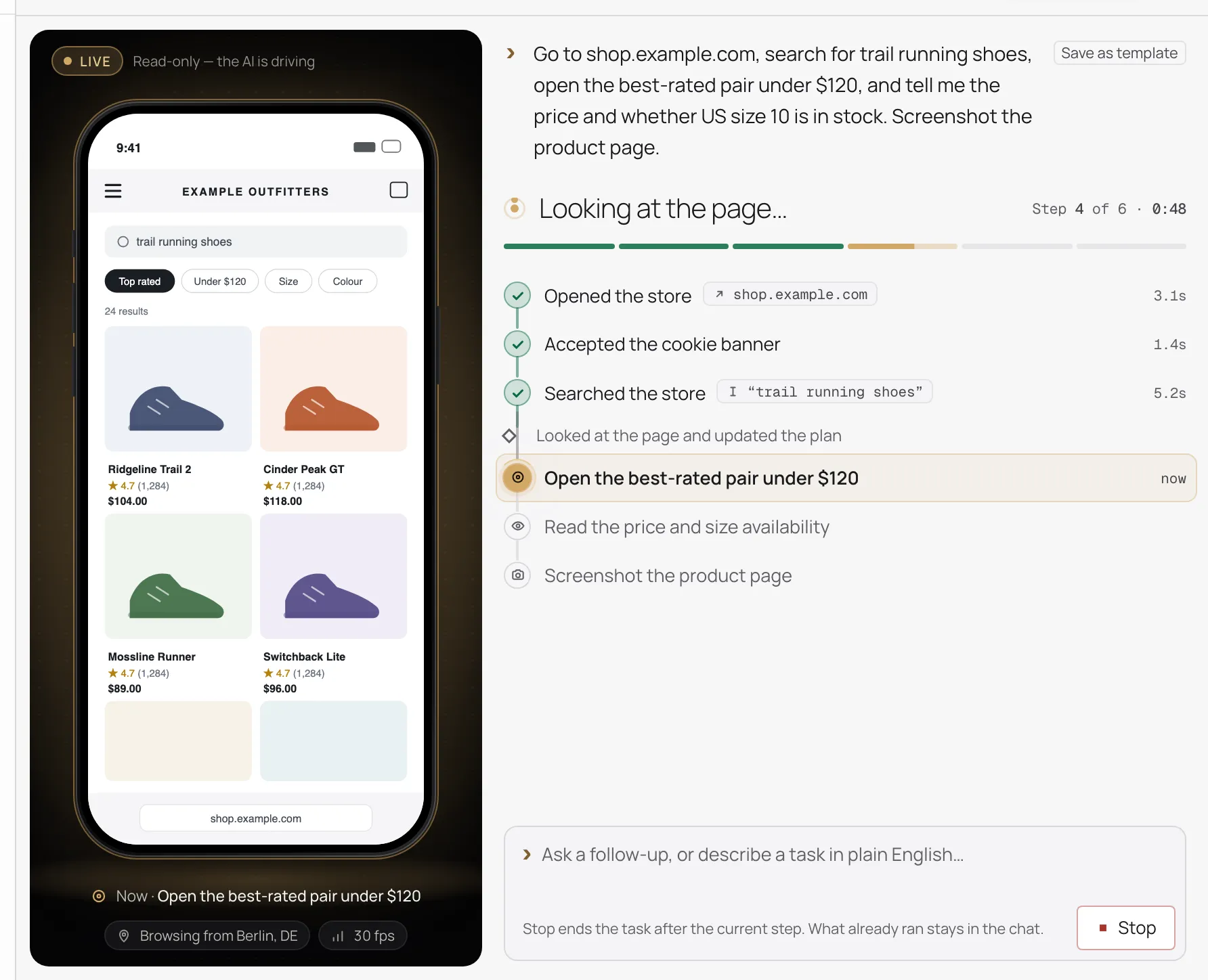
Tap, swipe, scroll and type, like on a phone. Or, on a paid plan, describe the job in plain English and let the AI agent drive.
Bring your own proxy or VPN: SOCKS5 on every plan, OpenVPN or WireGuard on paid plans.
Each client, store or team gets its own profile, and nothing carries over.
Stay inside each service's rules. Our Acceptable Use Policy says where the line is.
See multi-account operationsRun automated tests on Safari's own engine, not a resized desktop browser.
See QA on iPhone SafariCollect the mobile prices, layouts and offers from public pages, within each site's terms.
See mobile web data collectionOne session. Three ways in.
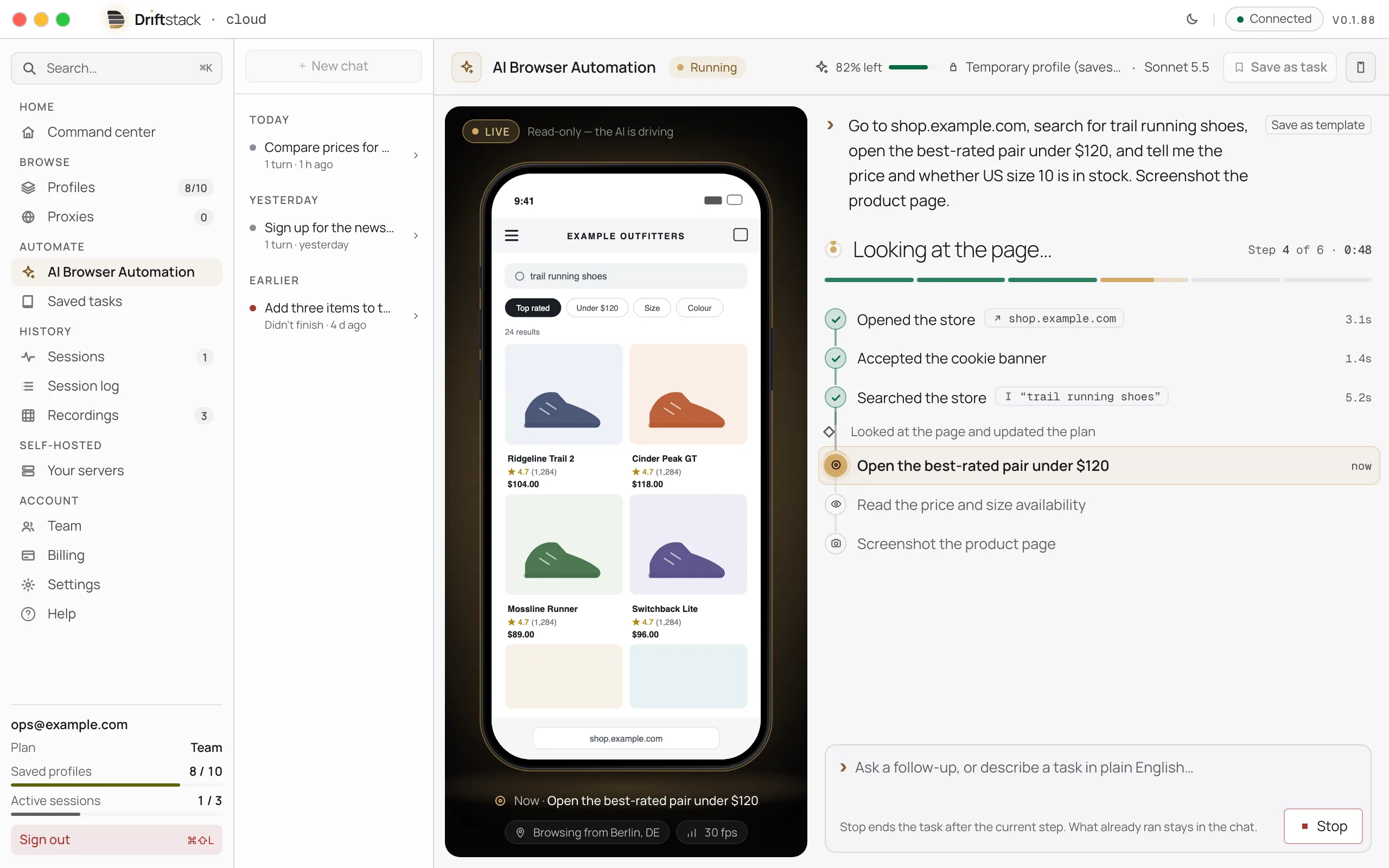
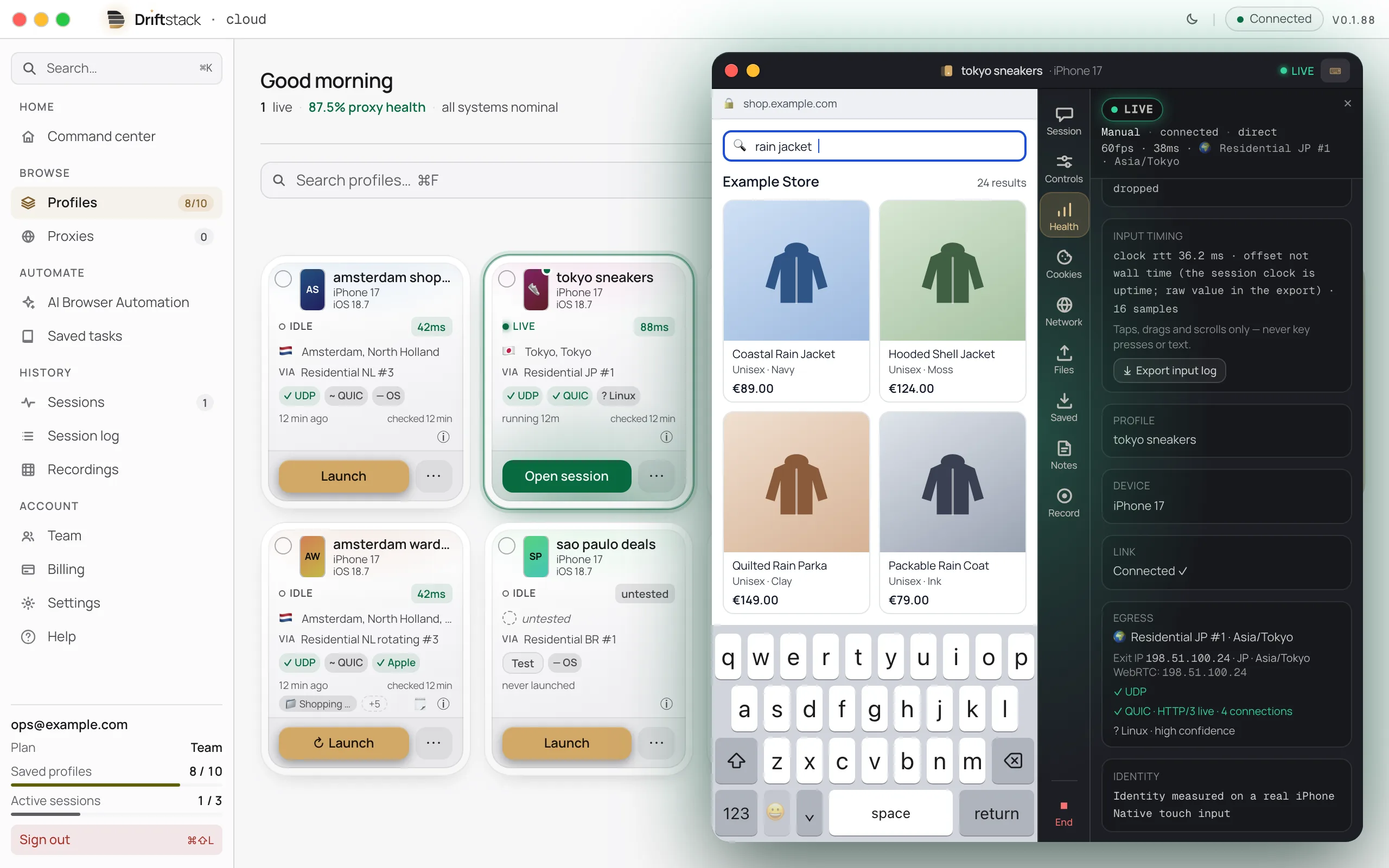
Point and click, live. Profiles in folders and tags. Each session opens in a session window.
See the appSay what you want in plain English and watch it happen. It stops for your OK when a step looks like a purchase, a payment or an account deletion.
The AI agent is on every paid plan. Starter to Scale include AI credits each month, and you can add your own AI key instead.
See it runWrite the job once and run it as often as you like. No AI cost, no AI wait.
See the codeMost tools take a desktop browser and change what it reports. Driftstack's browsers don't. Each one runs WebKit, the engine inside Safari, on Macs in a data centre, so what a page measures in the browser comes from that engine.
7 iPhone models, from the iPhone 13 to the 15 Plus, in Safari 26.4–26.6.1. New profiles get a randomly chosen iPhone model from those your plan includes that are open for new profiles; you can also pick a model yourself. Every paid plan offers all of them; the trial runs the iPhone 13.
We compare what websites can measure against real iPhones. Any difference counts as a bug in the engine.
See the checks side by side, on one profileModel, screen size and touch are set inside the browser engine itself. Driftstack adds no script to a page to change what it reads about the browser. The steps you ask for do run in the page, as they do in any automated browser.
A browser that only changes the line where it names itself still gives away its real engine. It shows in how it draws and how it shows 3D.
Tool-by-tool detail is on the comparison page.
| Signal | Desktop Chrome posing as an iPhone | Driftstack |
|---|---|---|
| What it says it is | rewritten | Safari's own |
| How it draws | Chrome's | matches iPhone |
| 3D graphics | the computer's chip | an Apple graphics chip |
| How text looks | the computer's | matches iPhone |
| Script engine | Chrome's | Safari's |
Matches iPhone = the answers a real iPhone gives. Verified device profiles are marked ✓ Verified in the app.
Taps, swipes and typing follow timing taken from real people. On by default. Pages react the way they do for someone holding a phone.
Flicks carry momentum. Taps vary in length, like a real thumb. When you drive by hand, your finger's path curves like a real one.
Letters arrive one at a time, with the small pauses of real thumbs. Nothing is pasted in at once.
Describe the task in plain words. The AI plans each step, runs it, and sends back its answer.
import { Driftstack } from '@driftstack/sdk';

const ds = new Driftstack({ apiKey: process.env.DRIFTSTACK_API_KEY! });

// Every session goes out through one of your saved proxies.
let session = await ds.agentSessions.create({ proxy_id: process.env.DRIFTSTACK_PROXY_ID! });

try {
  // Wait up to two minutes for its browser to start.
  for (let i = 0; session.ready === false && i < 60; i++) {
    if (session.status === 'closed') throw new Error('The session did not start');
    await new Promise((resolve) => setTimeout(resolve, 2_000));
    session = await ds.agentSessions.get(session.id);
  }

  // Say what you want. The AI plans the steps and runs them;
  // the call returns when its turn ends.
  const reply = await ds.agentSessions.message(
    session.id,
    'Open https://books.toscrape.com, go to the Travel category ' +
      'and tell me the cheapest book there and its price.',
    { onStep: ({ index, result }) => console.log('step', index + 1, result.kind) },
  );

  // A turn that stops early (a limit, or a question for you) carries a notice.
  if (reply.kind !== 'plan-executed' || reply.notice !== undefined || reply.answer === undefined) {
    throw new Error('The task did not finish');
  }
  console.log(reply.answer);
} finally {
  await ds.agentSessions.close(session.id);
}
Up to 8 steps you write, run exactly as written. No AI, and none of the AI budget used.
import { Driftstack } from '@driftstack/sdk';

const ds = new Driftstack({ apiKey: process.env.DRIFTSTACK_API_KEY! });

let session = await ds.agentSessions.create({ proxy_id: process.env.DRIFTSTACK_PROXY_ID! });

try {
  // Wait up to two minutes for its browser to start.
  for (let i = 0; session.ready === false && i < 60; i++) {
    if (session.status === 'closed') throw new Error('The session did not start');
    await new Promise((resolve) => setTimeout(resolve, 2_000));
    session = await ds.agentSessions.get(session.id);
  }

  // Open a page, type, tap, wait, read: each step runs as written.
  const run = await ds.agentSessions.runSteps(session.id, [
    { kind: 'navigate', url: 'https://quotes.toscrape.com/login' },
    { kind: 'interact', action: 'type', selector: '#username', value: 'demo' },
    { kind: 'interact', action: 'type', selector: '#password', value: 'demo', sensitive: true },
    { kind: 'interact', action: 'tap', selector: 'input[type="submit"]' },
    { kind: 'wait', condition: 'selector_visible', selector: 'a[href$="logout"]' },
    { kind: 'extract', selector: '.quote .text' },
  ]);

  const quote = run.kind === 'plan-executed' && run.ok ? run.results.at(-1) : undefined;
  if (quote?.kind !== 'success') throw new Error('A step failed');
  console.log(quote.summary); // the first quote on the signed-in page
} finally {
  await ds.agentSessions.close(session.id);
}
A profile is one saved iPhone. Every session you start with it is that same device, with its cookies and logins.
import { Driftstack } from '@driftstack/sdk';

const ds = new Driftstack({ apiKey: process.env.DRIFTSTACK_API_KEY! });

// Save an iPhone once. The device is chosen for you unless you name one.
const profile = await ds.profiles.create({ name: 'Example shop account' });

try {
  // Start sessions as this iPhone with
  // agentSessions.create({ profile_id: profile.id, proxy_id }).
  const saved = await ds.profiles.get(profile.id);
  console.log(saved.name, 'runs as', saved.archetype);
} finally {
  // This example cleans up after itself; yours would keep the profile.
  await ds.profiles.delete(profile.id);
}
A few lines to an iPhone Safari session.
SDKs for TypeScript, Python and Go, or call the API from any tool.
Read the docsDriftstack doesn't plug into Playwright, Puppeteer or Selenium. Your tests call its API instead.
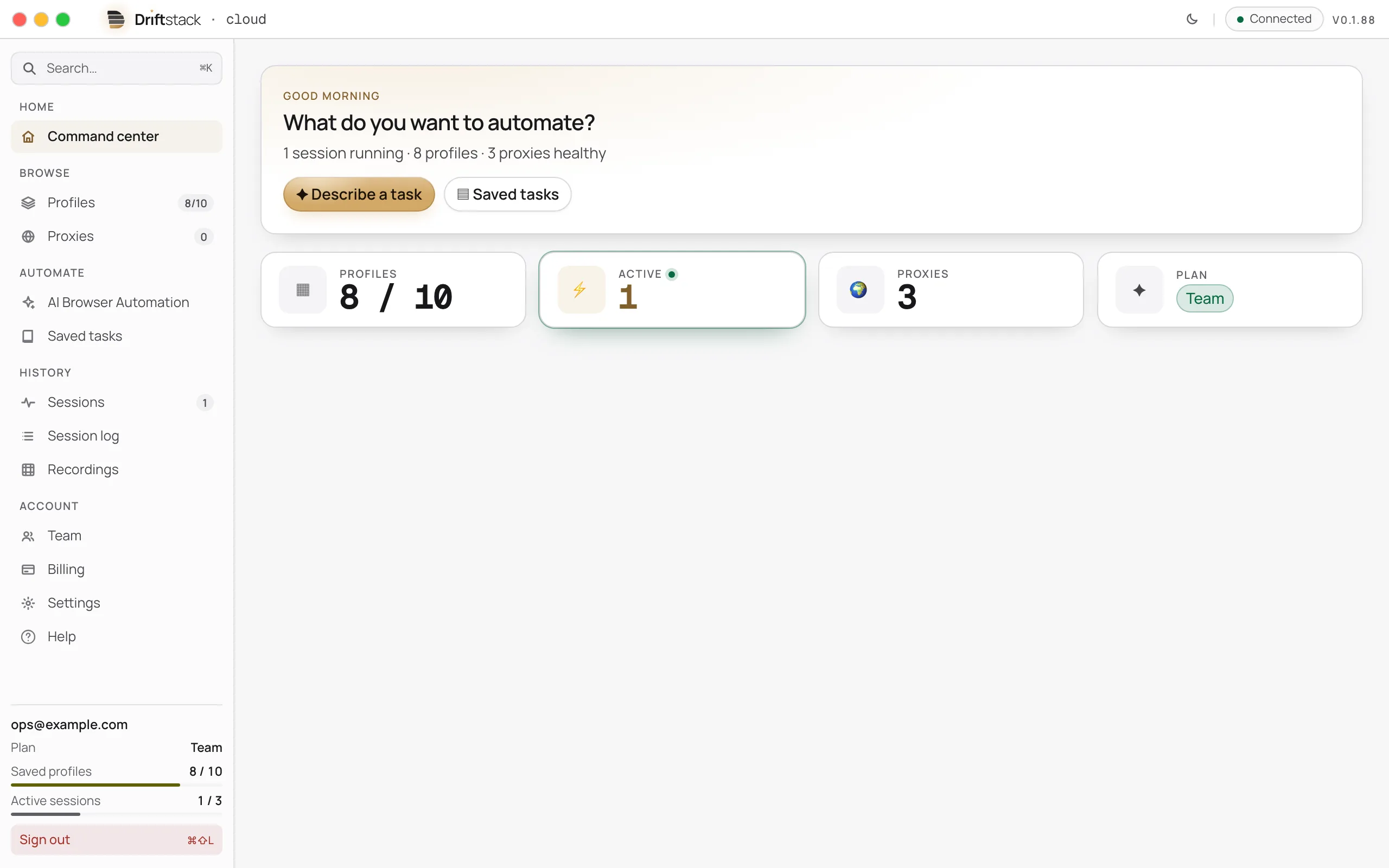
Your saved profile keeps its device until you change it: the same iPhone model, Safari version and fonts, each time you come back.
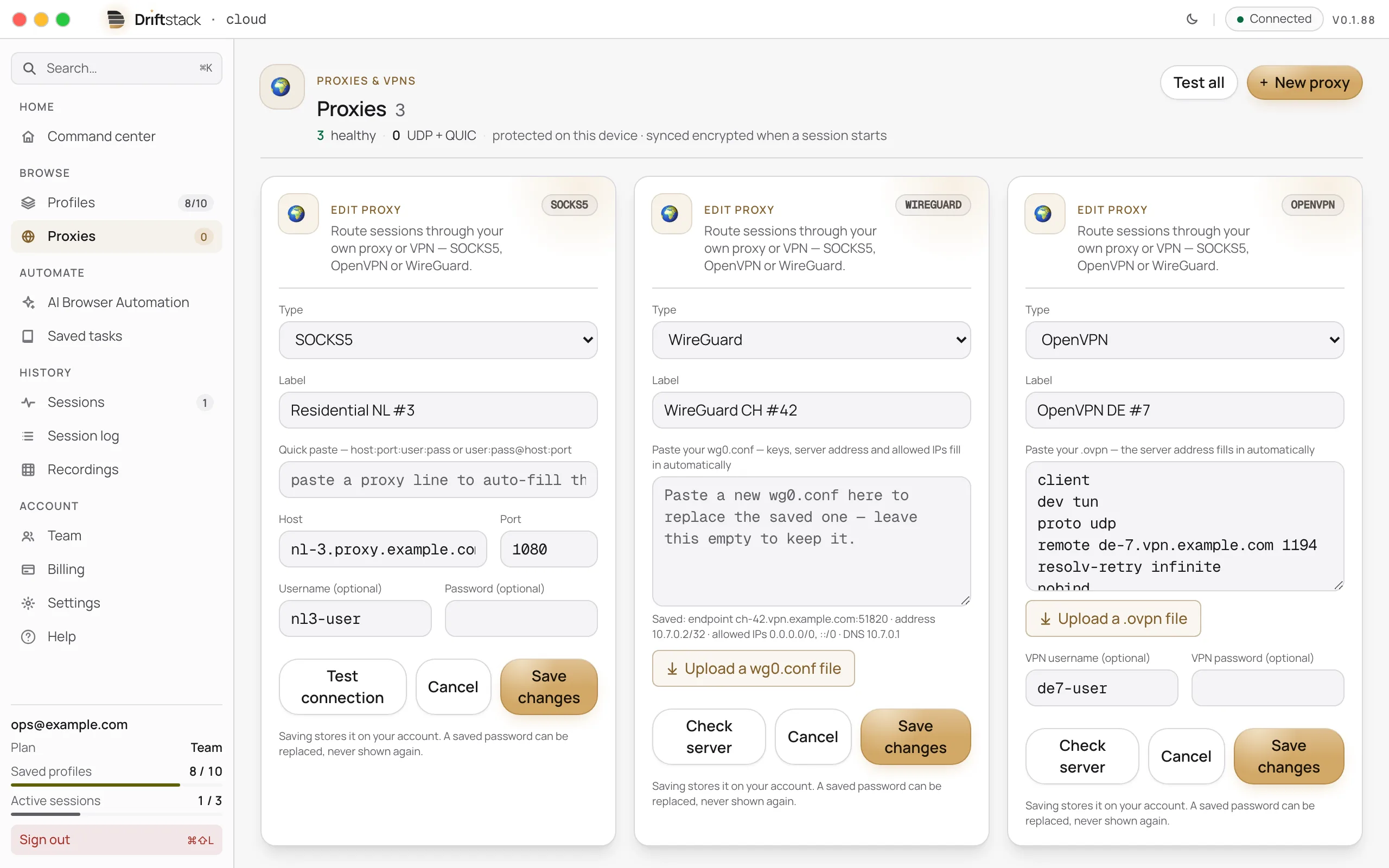
Give each profile its own proxy or VPN, and its own country. A VPN carries everything the profile does, live audio and video included.
Test your connection before you launch: see what the Test button checks.
The session's time zone follows the country your proxy or VPN exits from.
Plans are priced by how many profiles run at the same time — like browser tabs open at once.
No fee per page.
Every other limit is in every plan compared.
Your account data lives on our EU servers. Sessions run on Macs in data centres in the US and the Netherlands. Stored files, like avatars and each profile's encrypted browser data, use a storage network that can copy them outside the EU.
We keep a short record of each browser session for 90 days. Live video is never stored.
Email support on every plan, the trial too.
Every plan, the trial too, includes the desktop app and the API. Paid plans have no hour limit (fair use). Run as many sessions as you like, up to your plan's number at the same time.
$90 /month
$900 /year 2 months free
For working solo.
$249 /month
$2,490 /year 2 months free
For small teams and scripts.
$490 /month
$4,900 /year 2 months free
For teams running several profiles at once.
$890 /month
$8,900 /year 2 months free
For running 12 profiles at once. Sold by request.
Prices are in US dollars, plus VAT or sales tax where it applies. Businesses in an EU country other than the Netherlands, with a valid VAT number, are billed without VAT (reverse charge).
Pay yearly and get 2 months free.
Enterprise, every limit and the FAQ are on the pricing page.
Driftstack on Macs you own.
We install it with you and send every update and new device profile. You run the machines. For full control, extra privacy or steady high volume.
See the packages and their terms.
See self-hosted